People have to remember when work is due
Recurring checks, new information and deadlines still wait for someone to notice and start the work.
Deprex
A CompanyOS for small and medium businesses
Deprex provides the CompanyOS implementation and execution foundation for business operations with less manual involvement. Define and implement a workflow’s purpose, decision rules and starting conditions once. On subsequent runs, agents respond to changing conditions or scheduled times, carry out the connected steps and verify the result.
The everyday friction
Recurring checks, new information and deadlines still wait for someone to notice and start the work.
What to check, how to decide and how far to proceed must be explained again whenever responsibilities change.
Collecting information, processing it, handing it over and checking the outcome still require coordination around individual automated tasks.
What you can delegate
Detect new information, changed conditions or an agreed time
Check the agreed sources and business state. When the designed conditions are met, begin new work or respond to a change without requiring someone to start each run.
Work that begins at the right time
Apply objectives, business knowledge and decision criteria
Compare the current situation with established context, select the steps and sequence, and apply the agreed responsibilities and exception rules.
Decisions and coordination that retain your context
Move from checking information to creating, updating and coordinating
Research, compare, create and update within your existing documents and business tools. Carry the result of one step into the next as a connected business workflow.
Less instruction and manual handover between steps
Check the result and resume when the required conditions are met
Confirm the intended outcome after an action. Keep track of responses or information that are still needed, then continue when the work can move forward.
Visible results and follow-up that keeps moving
Inside day-to-day operation
An example using Slack and GitHub Projects. Once a workflow is designed, conditions and time start the work. Progress, results and decisions that need attention stay visible.
Generated illustrations with fictional work and data. Layouts and wording are simplified to explain the workflow, not screenshots of a delivered interface. Your setup follows the tools and workflows agreed for your business.
01 / Slack
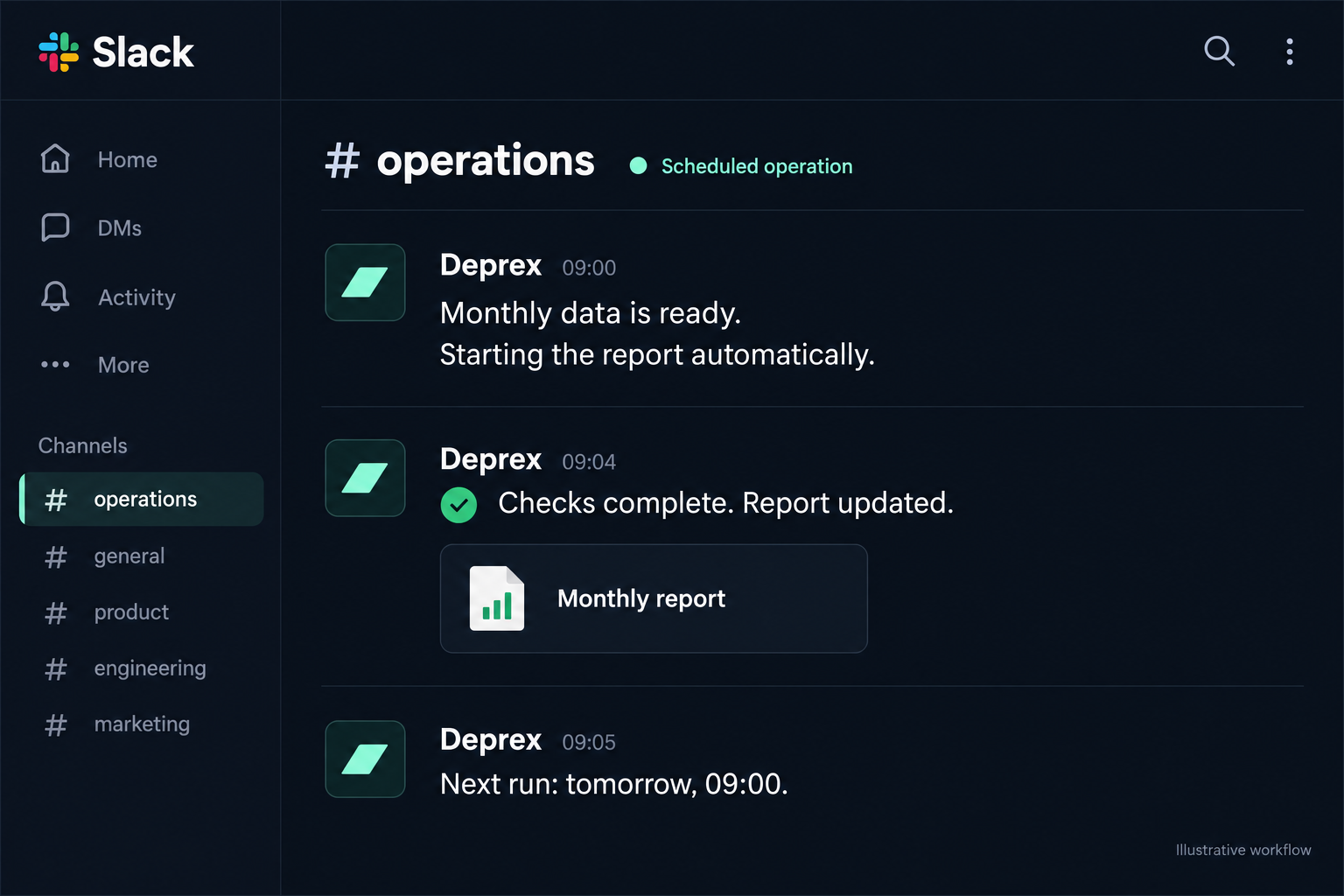
Fresh data arrives or an agreed time is reached. Deprex starts the designed workflow, verifies its output and shares the relevant progress or result in Slack. A person does not need to send a new starting instruction each time.
The illustration shows an automatic start, a verified report and the next scheduled run.
02 / GitHub Projects
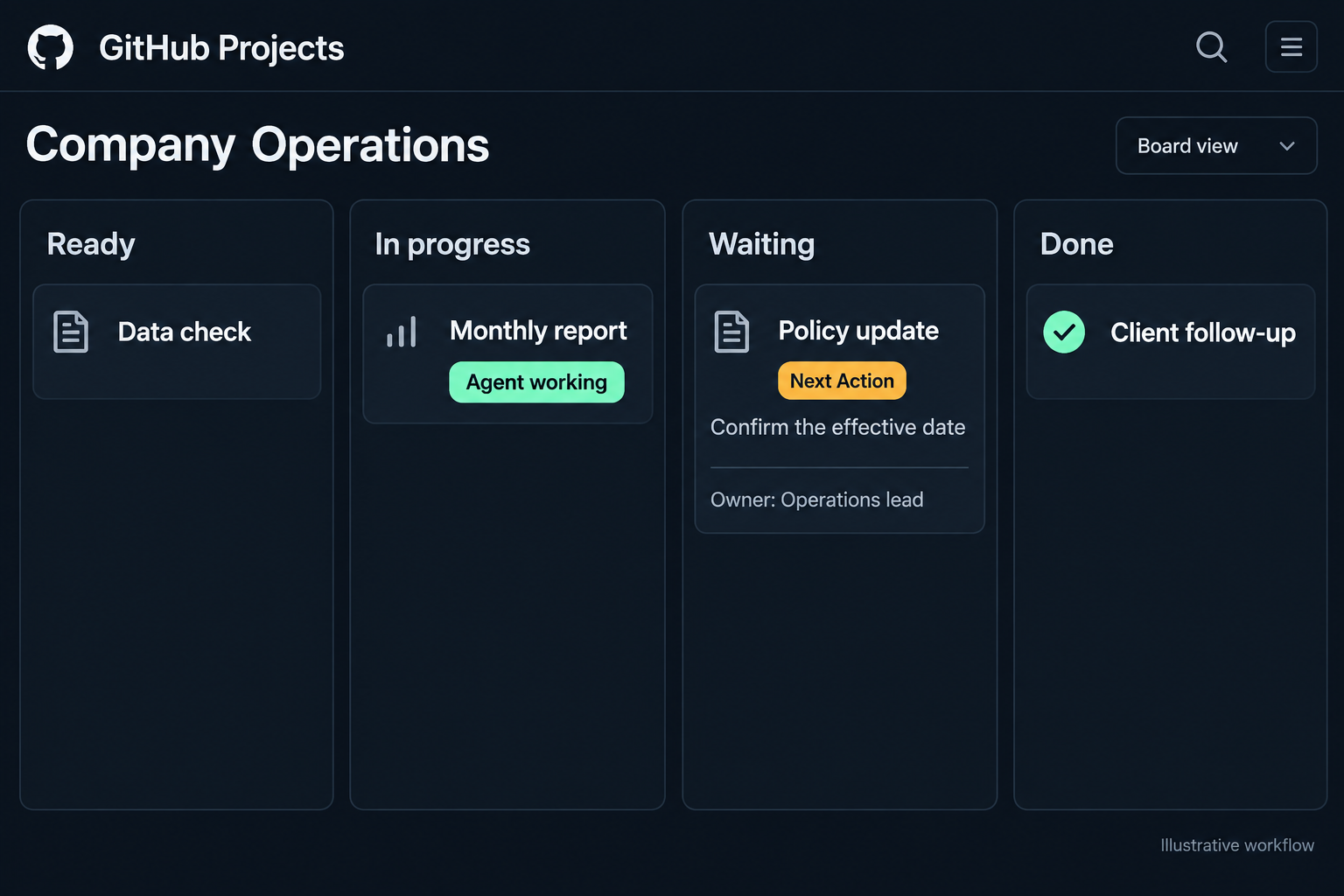
A kanban board makes ready, active, waiting and completed work visible. Task state follows verified progress. Work that cannot continue shows the missing decision or input, alongside who needs to act.
The active card shows the agent working. Only the waiting card shows a Next Action.
03 / Task activity
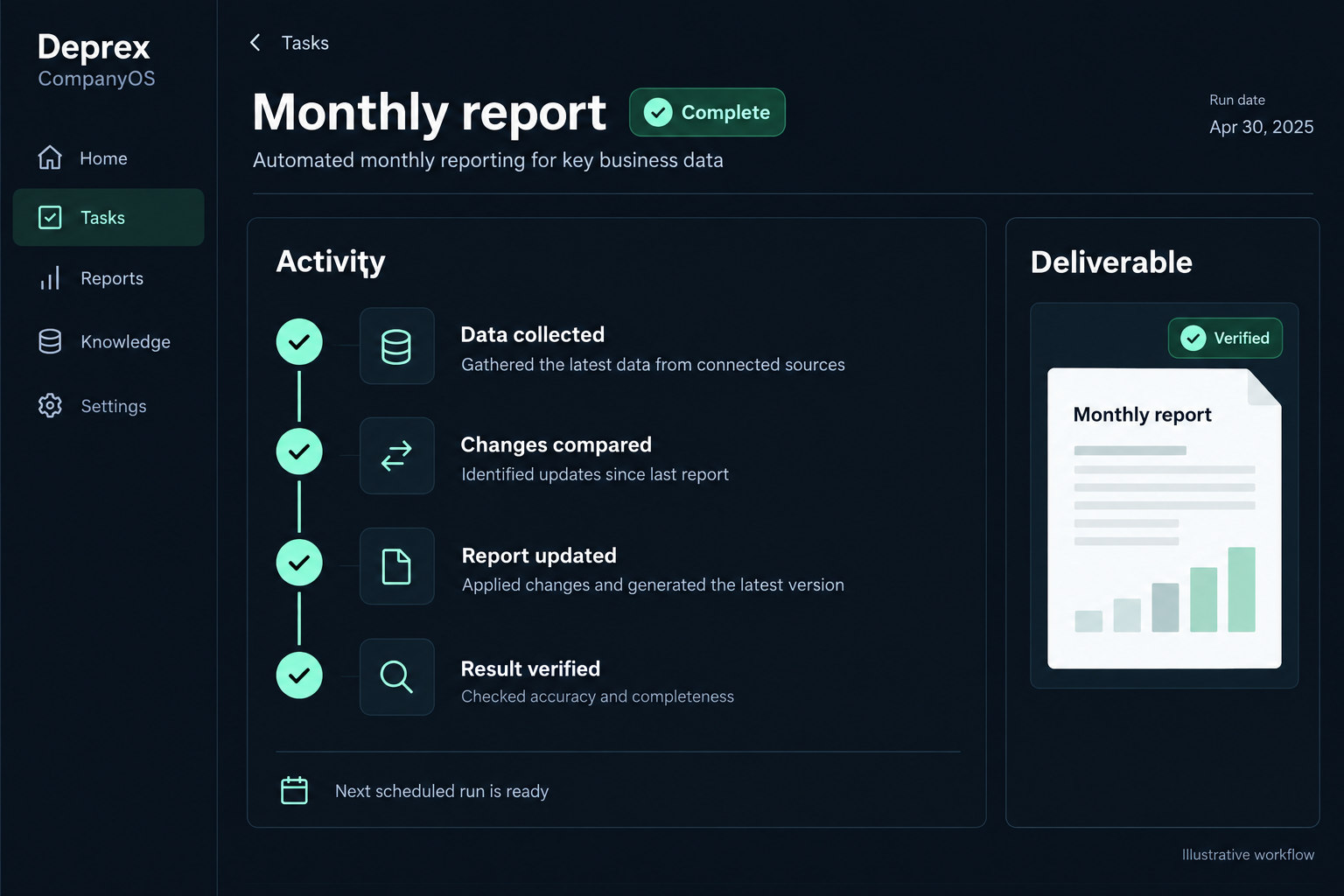
Open a task to follow the work from its inputs through actions and checks to the deliverable. The record distinguishes completed work from unresolved questions, so your team can assess the outcome without asking for the history again.
The illustration follows data collection, comparison, report update and result verification.
04 / Next Action
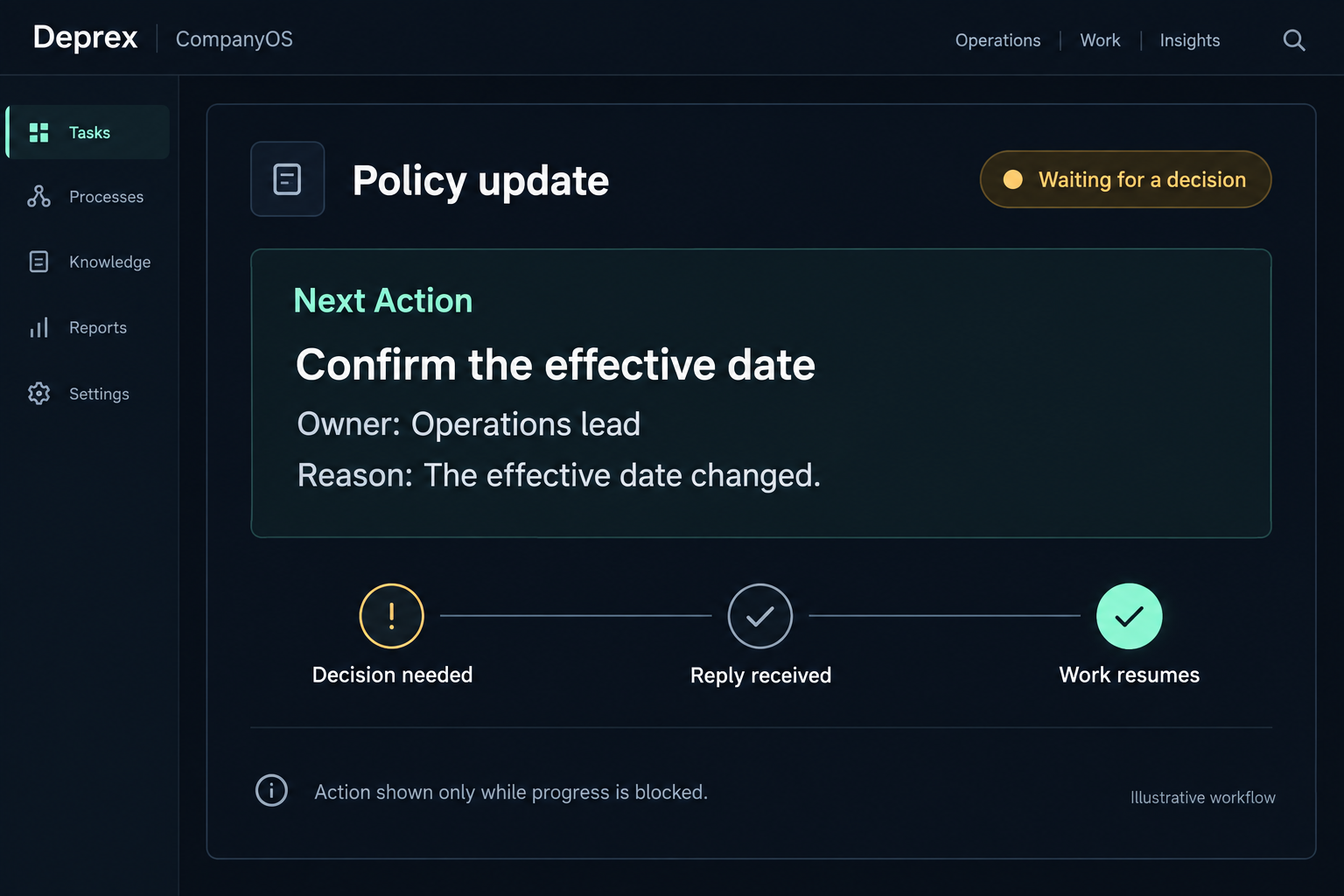
Next Action describes what is needed when an agent cannot currently proceed: a human decision, an external response, missing information or an agreed time. Once the condition is met, work resumes and the resolved Next Action is cleared.
Here, a changed effective date needs a decision from the operations lead. Runnable work continues without creating another human to-do.
From actual work
Turn information into work, check the outcome and continue. These practical building blocks inform a CompanyOS that can support different kinds of business.
Regularly read operational information, reconcile existing work and reflect new or changed items while retaining each item’s conditions.
Compare documents, settings and observed results to identify differences. Implemented workflows support delegated changes and subsequent verification.
Retain results, pending responses and required information. Check when work can resume, continue executable steps and keep unresolved points visible.
How it starts
Clarify the starting conditions, decisions and completion criteria around the business objective and the way your team works.
Connect knowledge, roles, steps and tools. Walk through real input to output and confirm the delegated scope.
The same system responds to conditions or time. People focus on business direction, changing requirements and important exceptions.
Working with our FDE team
A Forward Deployed Engineer works closely with your team to turn business processes into working systems. During setup, 0ai learns the triggers and decision rules from Slack discussions, meetings and existing material, then implements a CompanyOS that can execute subsequent runs autonomously.
Identify what starts the work, the evidence used to decide and the completion criteria. Investigate available information first and keep questions focused.
Choose a starting point based on frequency, workload and impact. Connect recognition, decisions, execution, verification and exception handover.
Review the results and changes with your team, avoid overlap with existing operations and improve the system as real outcomes and requirements evolve.
Provide demanding workflows, their triggers and the material and examples you already use. A finished manual is not required.
Agree authoritative information, ordinary decisions, exception owners and what may be changed. Clarify undocumented steps with examples or a walkthrough.
Provide appropriate access and someone to confirm initial outputs. After setup, help review changed conditions and important exceptions.
Agree how work should run during setup, then delegate routine execution to agents. Evolve the design as the business changes and expand the scope that can operate unattended.
Questions
No fresh starting instruction is needed for each run of a designed and implemented workflow. Information changes, business events or agreed times trigger execution within the defined conditions and authority.
An operating system that connects company knowledge, roles, decision rules and workflows so agents can run business operations. Deprex provides its implementation and ongoing execution foundation.
Small and medium businesses where owners and a few key people carry the operational workload, especially recurring work and handovers across roles and tools.
When deciding business direction, changing workflow conditions or handling decisions and exceptions beyond delegated authority. Routine execution is kept separate from redesign and important human judgment.
We start with the existing environment, confirm the information, connections and delegated scope, then expand autonomous operation from one workflow toward the wider business.
Deprex
Build workflows once and let them keep running. Start with the work people are coordinating today, and turn it into your CompanyOS.
Discuss your CompanyOS